
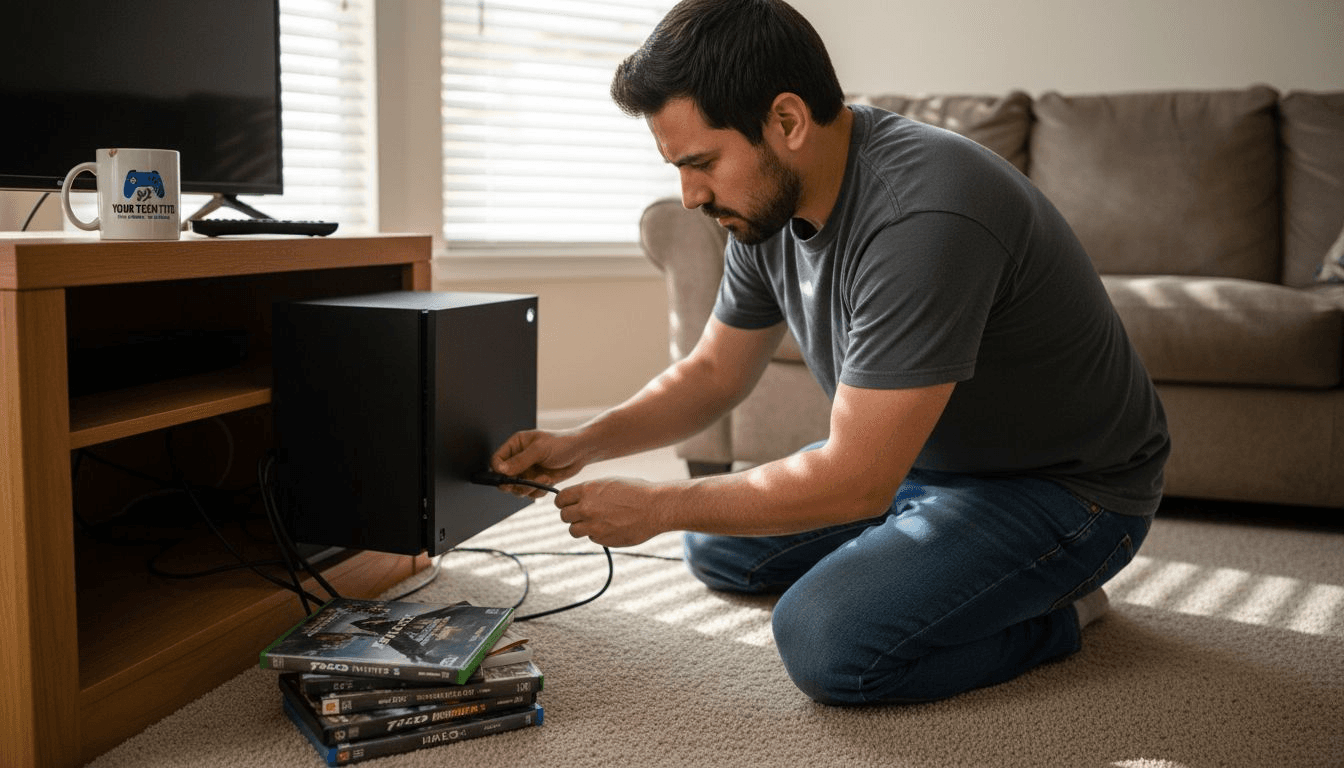
Your Xbox Series X displays a black screen despite being powered on. You've checked cables and tried different ports, but nothing works. HDMI issues can stem from faulty cables, damaged ports, or incorrect settings. This guide helps Virginia gamers diagnose problems and connect with reliable repair services in Fredericksburg that restore your gaming experience quickly.
Table of Contents
- How To Choose The Right Solution For Xbox Series X HDMI Issues
- Common HDMI Problems And How To Diagnose Them
- Professional Repair Services Near Fredericksburg, VA
- DIY Repair: When It Makes Sense And When To Avoid
- Summary Comparison Of Xbox Series X HDMI Solutions
- Situational Recommendations For Xbox HDMI Problems
- Get Reliable Xbox Series X HDMI Repair In Fredericksburg, VA
- Frequently Asked Questions
Key takeaways
| Point | Details |
|---|---|
| Symptom diagnosis matters | Intermittent signal usually indicates cable issues, while no signal with visible port damage points to hardware failure. |
| Try basic fixes first | Power cycling and low-resolution mode (640x480) resolve many software-related display conflicts before repair is needed. |
| Professional repairs offer warranties | Fredericksburg services provide 90-day to 1-year coverage with typical costs of $100-$150 and same-day turnaround. |
| DIY carries significant risks | Over 30% of amateur port repair attempts cause additional damage and void manufacturer warranty coverage. |
| Local options beat mail-in | Mobile pick-up services and in-store appointments in Virginia save shipping time and provide immediate expert consultation. |
How to choose the right solution for Xbox Series X HDMI issues
Identifying whether your problem stems from cables, ports, or settings determines the best repair path. Intermittent flickering or occasional signal loss typically points to cable deterioration or loose connections. Complete signal failure combined with visible port damage like bent pins or debris buildup indicates hardware failure requiring professional HDMI port repair services.
Certified HDMI 2.1 cables matter for Xbox Series X performance. These cables support 4K resolution at 120Hz and variable refresh rate features that enhance gameplay. Generic or damaged cables create compatibility issues that mimic port failures, leading to unnecessary repair expenses.
Start with basic troubleshooting before committing to repairs:
- Power cycle your console by holding the Xbox button for 10 seconds, unplugging for 30 seconds, then restarting
- Test multiple certified HDMI 2.1 cables in different TV ports to isolate cable versus port issues
- Boot into low-resolution mode by holding the power and eject buttons simultaneously for 10 seconds to bypass display conflicts
- Inspect the HDMI port with a flashlight for visible damage, debris, or loose components
Pro Tip: Before selecting repair services, cost and warranty are crucial factors in repair choices for Xbox HDMI issues. Compare coverage terms and turnaround times alongside pricing to maximize value.
Evaluate Xbox Series X HDMI repair options based on symptom severity. Software-related problems respond to troubleshooting, while physical damage requires skilled technician intervention. Review repair cost and warranty considerations to balance budget constraints against service quality and protection.
Common HDMI problems and how to diagnose them
Physical port inspection reveals critical damage indicators. Use a flashlight to examine the port for bent center pins, which prevent proper cable seating and signal transmission. Check for debris like dust or lint that blocks connections. Look for loose port housing that moves when you insert cables, indicating broken solder joints on the motherboard.
Test systematically to isolate the problem source:
- Connect your Xbox to a different TV or monitor using the same cable to determine if your display is faulty
- Try three different certified HDMI 2.1 cables in the same port to rule out cable failure
- Test your problematic cable with another device like a Blu-ray player to verify cable condition
- Access Xbox display settings and manually select 1080p at 60Hz to check for resolution incompatibility
- Enable low-resolution startup mode to bypass software display conflicts that prevent signal output
Display settings conflicts often create HDMI problems that appear hardware-related. Your console may attempt outputting 4K at 120Hz to a TV that only supports 4K at 60Hz, resulting in a black screen. Similarly, enabling variable refresh rate on incompatible displays causes signal failure.
Physical port damage such as bent pins or debris often requires professional repair. Attempting to straighten pins yourself risks breaking them completely or damaging internal connections. Professional technicians use specialized microsoldering equipment and replacement ports to restore full functionality safely.
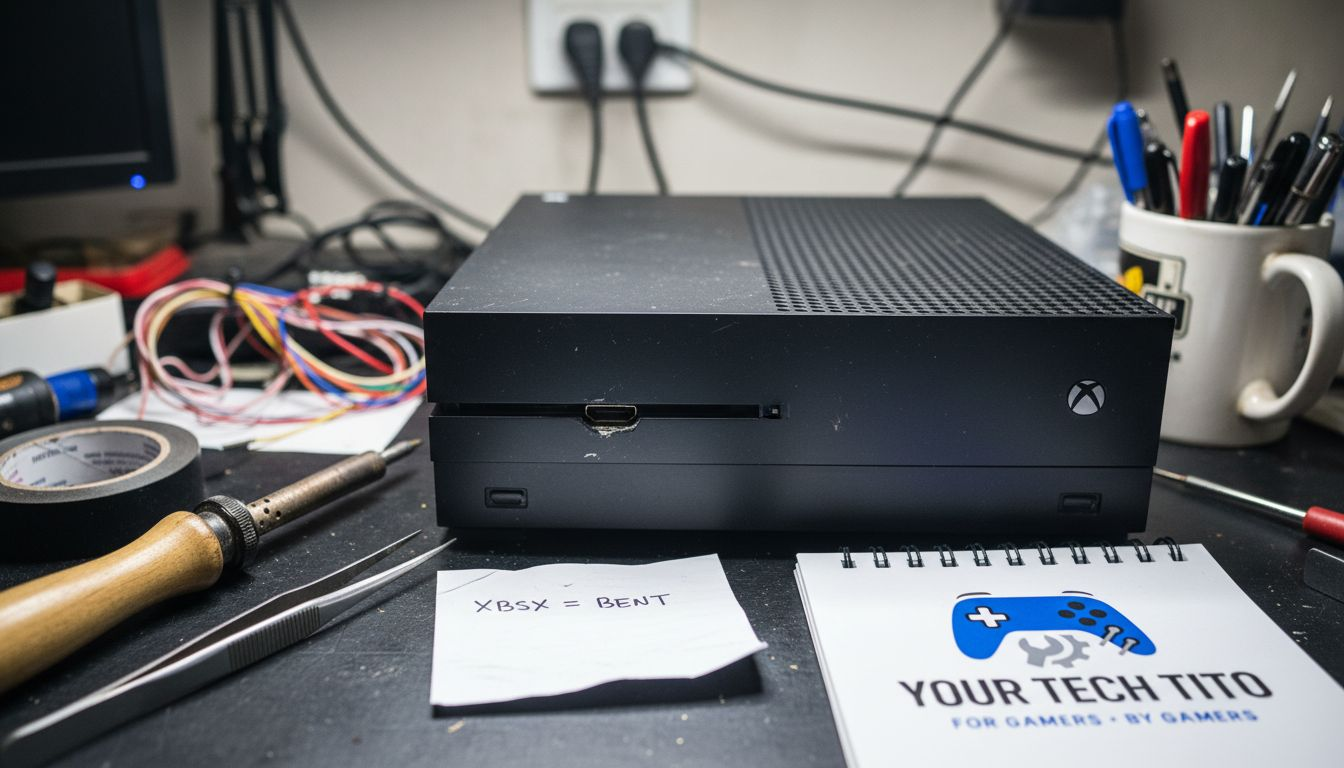
Document your symptoms before contacting repair services. Note whether the issue is constant or intermittent, which resolutions fail, and any physical port abnormalities. This information helps local professional HDMI repairs diagnose accurately and provide precise quotes. Understanding diagnosing physical HDMI port issues streamlines the repair process and prevents misdiagnosis.
Professional repair services near Fredericksburg, VA
Your Tech Tito delivers mobile Xbox Series X HDMI repairs throughout Fredericksburg and surrounding Virginia areas. This gamer-focused service offers convenient pick-up and drop-off options that eliminate travel time. Technicians provide English and Spanish support with typical turnarounds of 30 to 60 minutes for standard port replacements.
uBreakiFix by Asurion operates multiple Virginia locations with in-store appointments and standardized pricing transparency. Their 1-year warranty coverage exceeds industry standards, and certified technicians handle all Xbox models. Walk-in availability suits urgent gaming needs, though scheduling appointments reduces wait times.
| Service Provider | Pricing Range | Warranty Period | Turnaround Time | Service Model |
|---|---|---|---|---|
| Your Tech Tito | $100-$140 | 90 days | 30-60 minutes | Mobile pick-up/drop-off |
| uBreakiFix by Asurion | $120-$150 | 1 year | Same day | In-store appointments |
| Mail-in Services | $90-$130 | 60-90 days | 5-10 business days | Shipping required |
Local repair shops like Your Tech Tito and uBreakiFix offer trusted Xbox Series X HDMI port repairs with fast turnaround and warranties. Regional providers understand Virginia gamers' needs and prioritize quick service to minimize downtime.
Compare service features beyond price:
- Mobile services save transportation hassle and suit busy schedules
- In-store repairs allow immediate consultation and parts verification
- Warranty length protects against recurring failures and defective replacement parts
- Turnaround speed determines how quickly you return to gaming
Pro Tip: Call ahead to confirm parts availability, especially for same-day service requests. Fredericksburg HDMI port repair shops stock common components but may need to order specialized parts for unusual damage patterns.
Choose providers based on your priorities. Gamers needing immediate repairs benefit from fast local HDMI repair options with mobile service. Those prioritizing warranty length may prefer established chains. Review trusted professional repair services in Virginia to match service features with your specific situation.
DIY repair: when it makes sense and when to avoid
HDMI port replacement requires microsoldering skills and specialized equipment. The port connects to the motherboard through tiny solder points requiring precise temperature control and steady hands. DIY HDMI port repair attempts often lead to further damage and void warranty in over 30% of cases, creating expensive problems that professional repair cannot always fix.
Safe DIY actions exist for specific scenarios:
- Replace HDMI cables with certified HDMI 2.1 versions when experiencing intermittent signal issues
- Adjust display settings manually by selecting lower resolutions to restore basic functionality
- Clean port exteriors gently with compressed air to remove surface debris (never insert tools)
- Update console firmware through USB if display issues prevent standard updates
Physical port damage demands professional intervention. Bent pins require replacement rather than straightening, as weakened metal breaks easily during gaming use. Loose port housing indicates failed motherboard solder joints that need reflow or complete port replacement with proper adhesion.
Risks of amateur repair attempts compound quickly. Breaking internal traces while removing the old port renders the motherboard unrepairable. Using incorrect solder temperatures damages surrounding components. Installing aftermarket ports without proper testing creates intermittent failures that frustrate diagnosis.
Warranty considerations matter significantly. Microsoft warranty coverage and extended protection plans become void when unauthorized repairs occur. Even successful DIY fixes eliminate manufacturer support for future issues, potentially costing hundreds in denied claims.
Pro Tip: If you lack microsoldering experience and specialized tools like hot air rework stations, choose professional HDMI port repairs instead. The repair cost typically matches or beats the price of acquiring proper equipment, while ensuring warranty protection.
Consider skill requirements honestly before attempting repairs. Cable replacement and settings adjustments require no technical expertise and carry minimal risk. Port replacement demands advanced electronics skills that most gamers lack. Review the risks of DIY repair to understand potential consequences, then select expert repair services when physical damage exists.
Summary comparison of Xbox Series X HDMI solutions
Repair options vary dramatically in cost, time investment, success probability, and warranty coverage. Understanding these trade-offs helps Virginia gamers select the approach matching their technical skills, budget, and urgency. This comparison synthesizes key decision factors across troubleshooting, DIY attempts, and professional repair services.
| Solution Type | Time Required | Cost Range | Success Rate | Warranty Coverage | Primary Risk |
|---|---|---|---|---|---|
| Basic Troubleshooting | 15-30 minutes | $0-$30 (cables) | 40-50% | N/A | None if careful |
| DIY Port Repair | 2-4 hours | $50-$100 (tools/parts) | 30-40% | Voids warranty | Permanent damage |
| Professional Repair | 30 min-3 days | $100-$150 | 95-98% | 90 days-1 year | Service delays |
| Mail-in Repair | 7-14 days total | $90-$130 | 90-95% | 60-90 days | Shipping damage |
Professional repair offers highest success and warranty at moderate cost and convenience trade-offs compared to DIY and basic troubleshooting. Local services eliminate shipping risks while providing immediate expert assessment that prevents misdiagnosis.
Key decision factors by scenario:
- Choose troubleshooting when symptoms are intermittent or recently developed without visible port damage
- Select professional repair for physical damage, persistent issues, or warranty-covered consoles
- Consider DIY only for cable replacement and settings adjustments, never port hardware work
- Avoid mail-in services when gaming downtime significantly impacts your schedule or competitive play
Time sensitivity influences optimal choices. Tournament players and streamers require same-day solutions that only local professionals provide. Casual gamers tolerating week-long waits may save money through mail-in options, though shipping damage risks offset cost benefits.
Success probability matters most for expensive consoles. The 95-98% success rate of professional HDMI repair services comparison justifies higher costs by preventing total console loss from failed amateur repairs. Review repair option comparison details to calculate true value including risk-adjusted outcomes.
Situational recommendations for Xbox HDMI problems
Your symptoms dictate optimal repair paths. Match your situation to these targeted recommendations for fastest, most cost-effective resolution. These guidelines synthesize diagnostic insights and repair options into actionable decision trees.
If you experience intermittent signal loss or flickering, replace your HDMI cable first. Purchase certified HDMI 2.1 cables from reputable brands to ensure 4K at 120Hz compatibility. Test the new cable immediately, as cable-related issues resolve within seconds of proper connection.
When visible port damage exists like bent pins or loose housing, contact trusted Fredericksburg HDMI repair services immediately. Attempting to use damaged ports risks worsening internal motherboard damage. Professional assessment costs nothing at most shops and prevents expensive complications.
For black screen issues without physical damage:
- Boot into low-resolution mode by holding power and eject buttons simultaneously for 10 seconds
- Manually select 1080p at 60Hz in display settings if you can access menus through another output method
- Test your console on a different display to isolate TV compatibility problems
- Update console firmware through USB recovery mode if software corruption is suspected
Pro Tip: When in Virginia and needing fast repair, Your Tech Tito and uBreakiFix provide superior local service with warranties. Mobile pick-up eliminates transportation hassles while maintaining rapid turnaround times.
Prioritize warranty status in your decision. Consoles under manufacturer warranty should go through Microsoft support first to preserve coverage. Out-of-warranty consoles benefit from immediate local repair that costs less than manufacturer service and completes faster.
Budget constraints affect timing but not quality requirements. Saving $30 through risky DIY attempts makes no sense when failure creates $300 replacement costs. If immediate repair budgets are tight, save for professional service rather than attempting amateur fixes. Review Virginia local repair options to compare pricing and payment plans that fit your financial situation.
Get reliable Xbox Series X HDMI repair in Fredericksburg, VA
Your Tech Tito specializes in Xbox Series X HDMI port repair throughout Fredericksburg and surrounding Virginia communities. Our mobile service brings expert technicians to your location, offering convenient pick-up and drop-off that fits your schedule. We complete most repairs in 30 to 60 minutes, getting you back to gaming fast.
Every Xbox Series X HDMI repair service includes a 90-day warranty covering parts and labor. Our gamer-focused approach means we understand how crucial quick, reliable repairs are to your gaming experience. English and Spanish support ensures clear communication throughout the repair process.
Professional HDMI port repair uses genuine replacement components and precision microsoldering techniques. We diagnose issues accurately, preventing unnecessary repairs and keeping costs transparent. Competitive pricing ranges from $100 to $140 depending on damage severity.
Ready to restore your Xbox Series X? Book your repair online in minutes. Select your preferred service time, and we handle the rest. For Gamers, By Gamers means we prioritize your needs and deliver the quality repairs Virginia gamers trust.
Frequently asked questions
What causes Xbox Series X HDMI problems?
Physical port damage from repeated cable insertion, faulty or uncertified HDMI cables, and incompatible display settings create most HDMI issues. Debris buildup in ports and loose solder joints from console movement also cause signal failures. Faulty or uncertified HDMI cables represent the most common cause, accounting for 40 to 50% of reported problems. Power surges and manufacturing defects contribute to remaining cases requiring professional repair info.
How much does Xbox Series X HDMI port repair cost in Fredericksburg?
Typical repair costs range from $100 to $150 depending on service provider, damage severity, and warranty coverage included. Your Tech Tito offers competitive pricing from $100 to $140 with 90-day warranty protection. uBreakiFix charges $120 to $150 but provides 1-year warranty coverage. Mail-in services cost $90 to $130 but require shipping time and carry damage risks. Compare local repair pricing to find options matching your budget and timeline.
Can I fix Xbox Series X HDMI issues myself without professional help?
DIY fixes work for cable replacement and display settings adjustments but physical port repairs require microsoldering expertise. Over 30% of DIY Xbox HDMI repairs result in further damage and warranty voids, creating expensive problems professionals cannot always fix. Unskilled attempts risk breaking internal motherboard traces and damaging surrounding components. Choose professional repair services for port hardware issues to protect your investment and maintain warranty coverage. Understanding the dangers of DIY HDMI repair prevents costly mistakes.
What local repair options exist for Xbox Series X HDMI problems in Virginia?
Your Tech Tito and uBreakiFix provide reliable Xbox Series X HDMI repairs with warranty and fast turnaround in Fredericksburg. Your Tech Tito offers mobile pick-up and drop-off service with 30 to 60 minute repairs and 90-day warranties. uBreakiFix operates in-store locations with same-day service and 1-year warranty coverage. Most repairs complete same day or within 1 to 3 days depending on parts availability and damage complexity. Both providers offer transparent pricing and experienced technicians. Explore Fredericksburg repair services and review local repair providers to select the option matching your needs.