
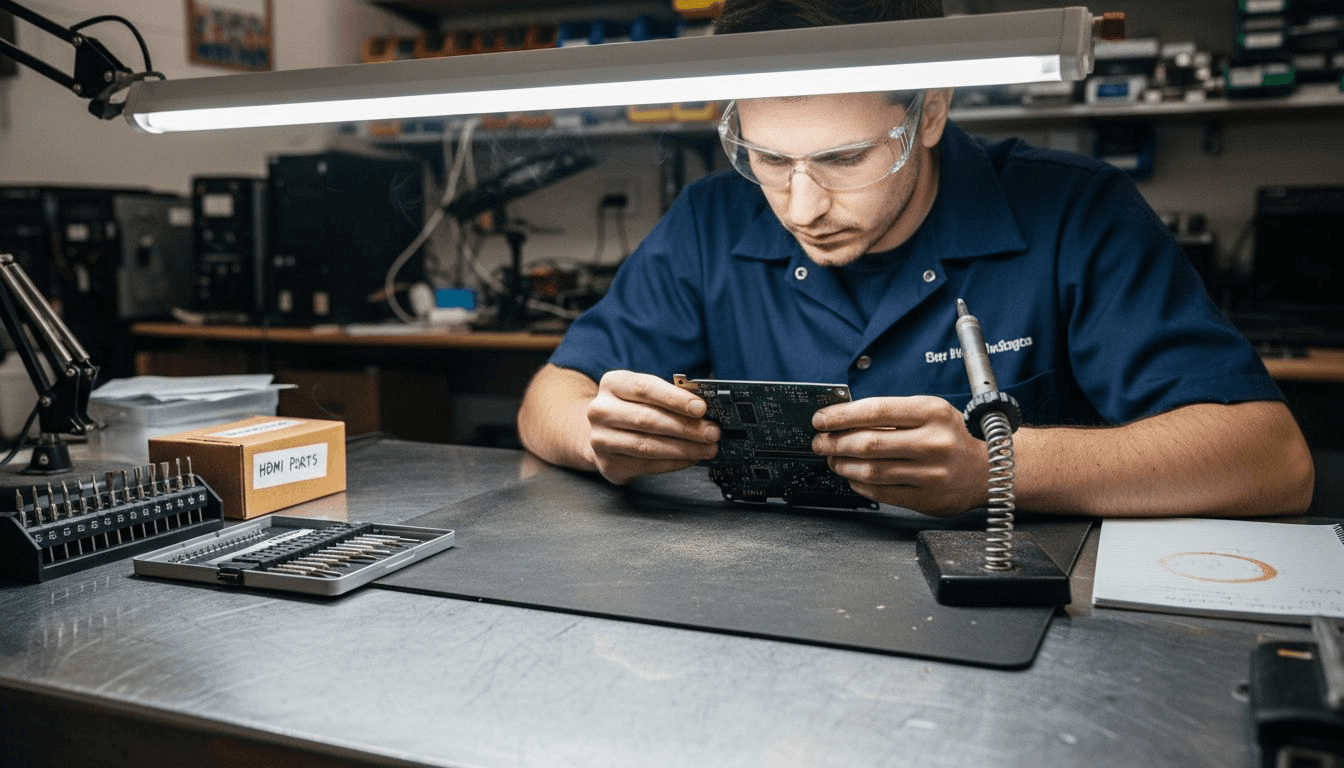
Your PS5 screen suddenly goes black mid-game. Audio cuts out. The TV shows "No Signal." Before you panic, know this: 30% of PS5 repairs involve HDMI port issues, and many are fixable with the right approach. This guide walks you through diagnosing, repairing, and maintaining your PS5 HDMI port, whether you tackle it yourself or opt for professional service in Fredericksburg. You'll learn when DIY makes sense and when expert help saves you time and money.
Table of Contents
- Understanding PS5 HDMI Port Issues
- Prerequisites: Tools And Preparation Before Repair
- Stepwise HDMI Port Repair Procedure
- Common Mistakes And Troubleshooting
- Expected Repair Timelines And Costs
- Safety Warnings And Warranty Considerations
- When To Seek Professional Repair Services
- Maintenance Tips To Prolong HDMI Port Life
- Fast, Reliable PS5 HDMI Repair In Fredericksburg With Your Tech Tito
- Frequently Asked Questions
Key Takeaways
| Point | Details |
|---|---|
| Symptoms | Black screen, flickering, audio loss, and intermittent signal indicate HDMI port failure. |
| Tools Required | Hot air rework station, soldering iron, microscope, ESD protection, and quality flux are essential. |
| Preheating Impact | Preheating the motherboard improves soldering success by 70% and prevents board damage. |
| Professional Cost | Repairs range $99 to $300 with 1 to 3 day turnaround in Fredericksburg. |
| Prevention | Use certified HDMI 2.1 cables and avoid forcing connections to extend port lifespan. |
Understanding PS5 HDMI Port Issues
Recognizing symptoms correctly prevents wasted effort on unnecessary repairs.
, making accurate diagnosis crucial before you commit to opening your console.Common symptoms include:
- No video output despite powered console
- Flickering or intermittent display
- Audio dropout while video remains
- TV displaying "No Signal" error
- Display working briefly then failing
Physical damage from dropping or forcing cables causes most HDMI port failures. Normal wear from frequent plugging and unplugging degrades solder joints over time. Cheap or damaged HDMI cables stress port pins. Static electricity can fry delicate components without visible damage.
Here's the critical part: approximately 35% of cases appear as port failure but actually stem from cable or TV input problems. Before attempting PS5 HDMI port repair, swap cables, test different TV inputs, and try another display. This simple PS5 HDMI troubleshooting saves you from unnecessary disassembly and potential damage.
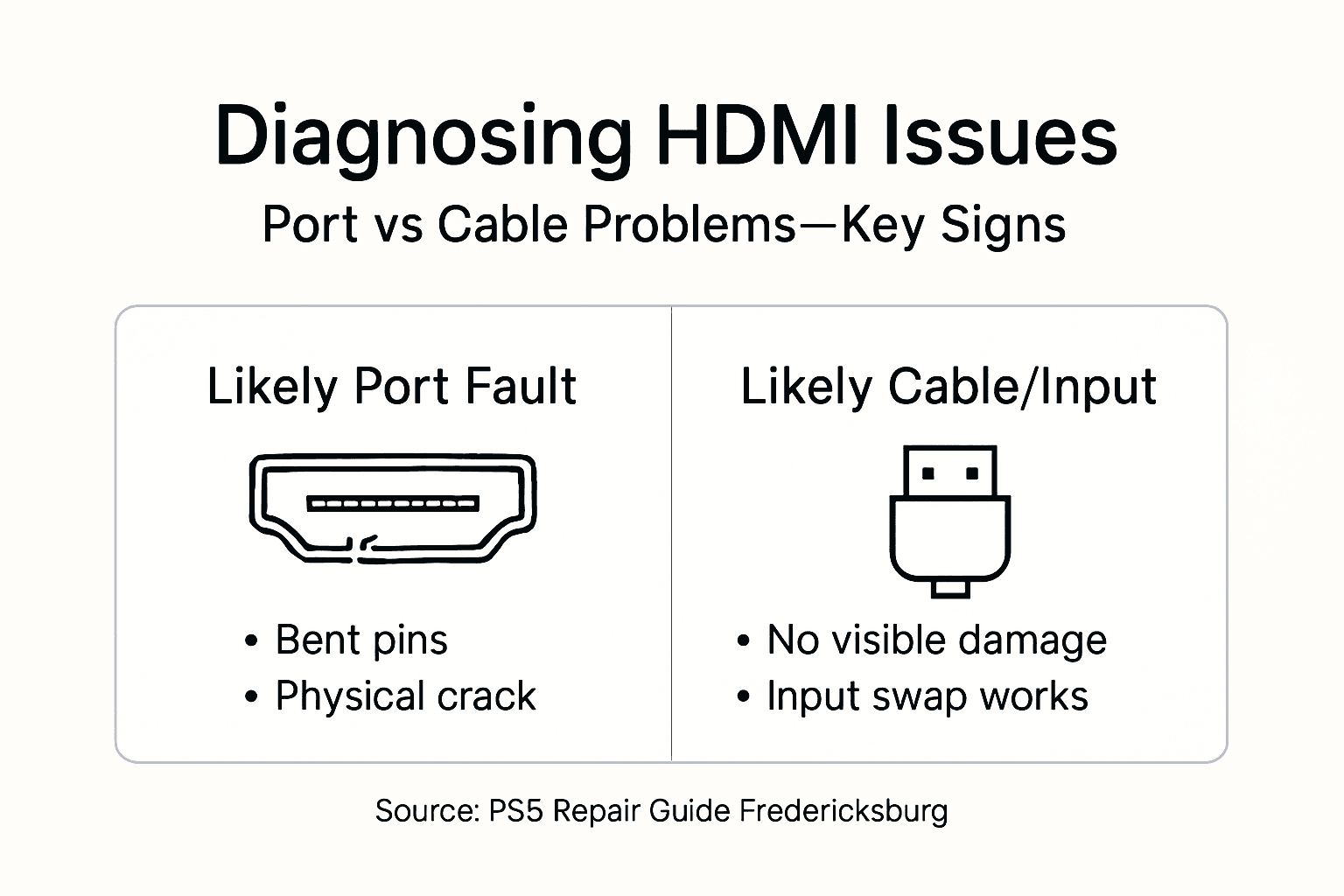
Misdiagnosis wastes money and risks your console. Confirm the port itself is faulty before proceeding with repair work.
Prerequisites: Tools and Preparation Before Repair
Proper preparation determines whether your repair succeeds or damages your PS5 further. Gathering correct tools and creating a safe workspace prevents costly mistakes that turn a simple fix into an expensive disaster.
Essential tools include:
- Hot air rework station for controlled heating
- Fine tip soldering iron rated for precision work
- Microscope or high magnification loupe
- Quality solder and no clean flux
- ESD wrist strap and anti static mat
- Plastic prying tools and precision screwdrivers
Power off and unplug your PS5 completely, remove side panels carefully, and disconnect all cables before starting any repair work. Work on a clean, well lit surface free from clutter. Static electricity destroys motherboard components invisibly, so never skip ESD protection.
Your workspace matters as much as your tools. Clear a large area with good overhead lighting. Lay down an anti static mat and ground yourself with a wrist strap. Keep a container nearby to organize screws and small parts as you disassemble.
Pro Tip: Label each screw location with tape or take photos during disassembly. PS5 uses different screw lengths in different spots, and mixing them up during reassembly can crack the board or strip threads.
Handle cables gently when disconnecting them from the motherboard. Ribbon cables tear easily, and connector clips break if forced. Take your time preparing for PS5 HDMI repair rather than rushing through steps. Following proper repair tools and procedure protocols prevents damage that costs more than the original repair.
Static protection significantly reduces risk to delicate components. The few minutes spent setting up properly can save you hundreds in motherboard replacement costs.
Stepwise HDMI Port Repair Procedure
Once prepared, follow this precise sequence to remove the damaged port and install a replacement safely. Effective PS5 HDMI port repair requires precision micro-soldering techniques and proper tools including hot air rework stations and microscopes for clean removal and installation.
- Fully disassemble the PS5 to access the motherboard, removing all shields and covers blocking the HDMI port area.
- Position the motherboard securely on your work surface with the HDMI port facing up and easily accessible.
- Set your hot air station to 350°C and preheat the motherboard area around the HDMI port for 2 to 3 minutes.
- Apply fresh flux generously around all HDMI port solder points to help solder flow cleanly.
- Use hot air at 380°C directed at the port while gently lifting with tweezers once solder melts completely.
- Clean the pads thoroughly with solder wick and isopropyl alcohol, ensuring no old solder remains.
- Align the new HDMI port precisely using a microscope, checking that all pins match their pads perfectly.
- Tack solder opposite corners first to hold the port in position before soldering remaining pins.
- Solder each pin individually with a fine tip iron, checking under magnification for bridges or cold joints.
- Test HDMI output by connecting the motherboard to power and display before full reassembly.
- Reassemble the PS5 carefully, reconnecting all cables and replacing shields in reverse order of removal.
- Perform final testing with multiple cables and displays to confirm successful repair.
| Step | Tools Needed | Critical Factor |
|---|---|---|
| Preheat | Hot air station | Prevents delamination |
| Removal | Tweezers, flux | Even heat application |
| Cleaning | Solder wick, alcohol | Complete pad preparation |
| Installation | Microscope, iron | Perfect alignment |
| Testing | HDMI cable, display | Pre-assembly verification |
Pro Tip: Microsoldering specialists recommend preheating the PS5 motherboard before HDMI port removal to avoid delamination and ensure clean solder joints, improving repair success rates by over 70%. Never skip this step, even if you're experienced.
Use your microscope constantly during soldering. HDMI ports have 19 pins in tight spacing, and even one bridge or cold joint causes complete failure. Check each connection under magnification before moving to the next pin.
Test before reassembly. If the port doesn't work, you can fix it immediately rather than disassembling everything again. This detailed repair step approach, similar to Xbox Series S HDMI port repair techniques, ensures reliable results when done correctly.
Common Mistakes and Troubleshooting
Avoiding frequent errors saves your PS5 from permanent damage. Attempting DIY HDMI port repairs without experience or precision tools causes frequent board damage, with microscopic solder joints most vulnerable to breaks and delamination.
Common mistakes include:
- Forcing HDMI cables into ports, bending pins
- Using metal probes or screwdrivers inside the port
- Skipping ESD protection and damaging chips
- Applying too much heat for too long
- Misaligning the replacement port
- Bridging adjacent solder pins
- Failing to test before full reassembly
Before opening your PS5, exhaust simple troubleshooting. Changing HDMI cables, trying different TV inputs, and testing on multiple displays resolves about 35% of symptomatic cases that appear as port failure but stem from external factors. Swap to a known good cable first. Try every HDMI input on your TV. Connect to a different display entirely.
Static damage prevention reduces repair failure rates significantly. Touch a grounded metal object before handling components. Keep your wrist strap connected throughout the entire repair process.
| Factor | DIY Repair | Professional Service |
|---|---|---|
| Cost | $20 to $50 parts | $99 to $300 total |
| Time | 3 to 6 hours | 1 to 3 days |
| Risk Level | High board damage risk | Minimal risk |
| Warranty | None | Service guarantee |
| Success Rate | 50 to 60% for beginners | 95%+ for experts |
If you lack micro-soldering experience, professional help prevents expensive mistakes. A failed DIY attempt often damages the motherboard beyond economical repair, costing more than hiring experts initially. Recognizing your skill limits and seeking help for common repair mistakes saves money long term.
When troubleshooting HDMI problems, document what you've already tried. This information helps professionals diagnose faster if you ultimately need their service.
Expected Repair Timelines and Costs
Understanding cost and time investments helps you plan effectively and choose between DIY and professional repair based on your situation and skill level.
Professional HDMI port replacement services for PS5 typically charge between $99 to $300 depending on damage extent, with turnaround times from same day to a few days. Pricing varies based on whether you need just the port replaced or if surrounding components suffered damage.
Local Fredericksburg services often complete repairs faster than shipping your console across the country. Mobile repair options eliminate travel time entirely, with technicians picking up your PS5 and returning it repaired within the quoted timeframe.
DIY repair costs less upfront but carries substantial risk. A replacement HDMI port costs $10 to $20. Budget another $30 to $40 for flux, solder, and supplies if you lack them. However, one mistake can destroy motherboard traces or lift pads, turning a $150 professional repair into a $400 motherboard replacement.
| Repair Type | Cost Range | Typical Timeframe | Risk Factor |
|---|---|---|---|
| DIY First Attempt | $20 to $50 | 3 to 6 hours | Very High |
| Local Professional | $99 to $200 | 1 to 3 days | Very Low |
| Mail-In Service | $120 to $300 | 5 to 10 days | Low |
| Emergency Rush | $200 to $400 | Same day | Very Low |
Time investment for DIY includes learning, preparation, actual repair, and potential rework. Even experienced technicians spend 90 minutes on HDMI port replacements. First-timers often need 4 to 6 hours, assuming no major mistakes.
Professional services provide warranties on their work, typically 30 to 90 days. If the repair fails within that period, they fix it free. DIY repairs have no such protection, and you absorb all costs if something goes wrong.
For affordable local PS5 HDMI repair in Fredericksburg, professional service balances cost with reliability. You get your console back quickly with guaranteed results. Understanding these repair cost analyses helps you make informed decisions.
Safety Warnings and Warranty Considerations
Repair safety and warranty status directly impact whether DIY makes sense for your situation. Understanding these factors prevents injuries, additional damage, and loss of manufacturer coverage.
Critical safety rules:
- Never force HDMI cables into ports
- Avoid inserting metal objects for cleaning
- Never solder without ESD wrist strap
- Do not open PS5 while under warranty
- Keep soldering iron away from plastic components
- Ensure proper ventilation when using flux
- Disconnect power completely before disassembly
Opening your PS5 for repair voids the manufacturer warranty. If your console is still covered, contact Sony for authorized repair service before attempting DIY fixes. Warranty repairs may be free or low cost compared to out of pocket expenses.
Never force HDMI cables, avoid inserting metal objects, do not solder without proper ESD safety, and avoid opening under warranty to prevent voiding coverage. Check your purchase date and warranty length before proceeding.
Static electricity invisibly damages components. Chips fail weeks after a static event, making it impossible to trace the cause. Using ESD mats and wrist straps reduces repair failure rates by approximately 40%, making them essential investments rather than optional accessories.
Soldering irons reach temperatures exceeding 300°C. Burns happen instantly if you touch the tip or nearby heated components. Keep the iron in its stand when not actively soldering. Never leave it unattended while powered on.
Flux fumes irritate respiratory systems. Work in a well ventilated area or use a small fan to direct fumes away from your face. Take breaks if you feel lightheaded or notice eye irritation.
If your PS5 remains under warranty, professional repair through professional repair warranty benefits providers may cost less than you think. Many services work with insurance or offer payment plans. Check the PS5 safety guide for complete precautions.
Consider all factors before deciding. Sometimes paying for expert service is cheaper than risking your console and voiding coverage.
When to Seek Professional Repair Services
Knowing when to call experts saves money, time, and frustration. Several situations make professional repair the smart choice regardless of your technical skills or available tools.
Seek professional help when:
- You lack micro-soldering experience or specialized equipment
- Your PS5 remains under manufacturer warranty
- You need the repair completed urgently for work or competition
- Previous DIY attempts failed or caused additional damage
- You're uncomfortable working with sensitive electronics
- The repair requires motherboard trace repair beyond port replacement
- You want warranty protection on the repair work
Mobile repair services offer convenience and speed; Professional repair reduces risk of motherboard damage; Local experts in Fredericksburg provide fast turnaround within 1 to 3 days. This speed matters when gaming is your primary entertainment or you compete professionally.
Certified technicians use professional grade equipment that costs thousands of dollars. Their microscopes, hot air stations, and specialized tools produce cleaner results than hobbyist gear. Experience matters too. Technicians who repair dozens of consoles monthly develop techniques that prevent common mistakes.
Local Fredericksburg services provide advantages over mail-in repairs. You avoid shipping costs and risks. You can discuss the problem directly with the technician. Turnaround time drops from weeks to days. Mobile options add even more convenience, with pick-up and drop-off at your location.
Warranty backing protects your investment. If something goes wrong with a professional repair, they fix it free within the coverage period. DIY repairs offer no such protection, leaving you to absorb all costs if issues arise.
Your Tech Tito Fredericksburg repair service combines local expertise with mobile convenience. Certified technicians handle your PS5 with specialized tools and provide warranty backed results. Most repairs complete within 1 to 3 days, minimizing your gaming downtime.
Professional service makes sense when you value your time, want guaranteed results, or lack the tools for proper repair. The peace of mind alone often justifies the cost difference.
Maintenance Tips to Prolong HDMI Port Life
Proper maintenance prevents HDMI port problems before they start. Simple habits extend port lifespan significantly and save you from future repairs.
Best practices include:
- Use only certified HDMI 2.1 cables rated for PS5
- Avoid tension or sharp bends on connected cables
- Keep PS5 stationary when cables are plugged in
- Support cable weight with clips or ties near the console
- Clean ports monthly with compressed air
- Inspect cables regularly for damage or wear
- Unplug cables by gripping the connector, never the wire
- Store extra cables coiled loosely, not tightly wound
Using only certified HDMI 2.1 cables, avoiding cable tension, and keeping the PS5 stationary can extend HDMI port lifespan by up to 25%. Cheap cables with loose connectors wiggle inside the port, gradually bending pins and stressing solder joints.
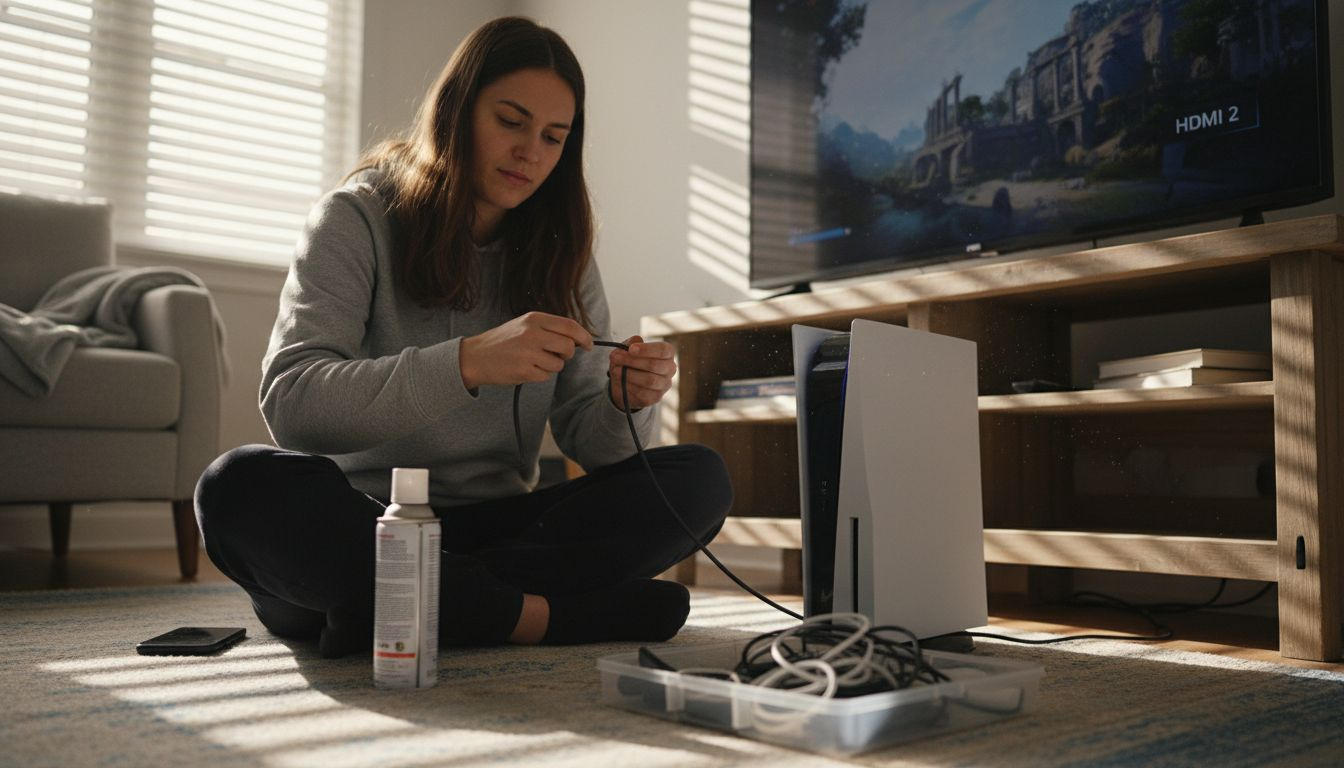
Cable management matters more than most gamers realize. If your HDMI cable hangs unsupported from the console, its weight constantly pulls on the port. Use adhesive clips or cable ties to support the cable weight near your entertainment center, removing stress from the connection point.
Dust accumulation inside ports causes poor contact and intermittent connections. Clean your PS5 ports every month with short bursts of compressed air held a few inches away. Never insert metal objects or cotton swabs, which can bend pins or leave fibers behind.
Pro Tip: Schedule periodic professional cleaning to remove dust and debris safely from internal components. Technicians use proper tools and techniques that prevent damage while thoroughly cleaning areas you can't reach safely at home.
Moving your PS5 while cables remain connected stresses the port. If you need to relocate your console, unplug all cables first. The few extra seconds prevent bent pins and broken solder joints that cost hundreds to repair.
Inspect your HDMI cables every few months. Look for kinks, exposed wires, or loose connectors. Replace damaged cables immediately rather than continuing to use them. A $15 cable replacement beats a $150 port repair.
Consider a professional cleaning service annually, especially if you notice performance issues or overheating. Follow this PS5 HDMI maintenance guide for complete prevention strategies.
Prevention costs far less than repair. Implementing these simple habits protects your investment and keeps you gaming without interruption.
Fast, Reliable PS5 HDMI Repair in Fredericksburg with Your Tech Tito
Now that you understand HDMI port issues, repair processes, and maintenance strategies, you're equipped to make the best decision for your situation. Whether you choose DIY or professional repair depends on your skills, tools, and timeline.
Your Tech Tito provides certified PS5 HDMI Repair Service in Fredericksburg with mobile convenience that saves you time. Our technicians use professional micro-soldering equipment and techniques to ensure reliable, warranty backed repairs. We understand gaming downtime frustrates you, so we complete most PS5 HDMI Port Repair work within 1 to 3 days.
Our mobile service means no driving across town or waiting in repair shops. We pick up your PS5 at your convenience, perform the repair in our equipped workspace, and return it ready to game. You get professional results without the hassle of traditional repair shops.
Ready to get back to gaming? Book your repair appointment online in minutes. Our team responds quickly with cost estimates and scheduling options. We serve Fredericksburg and surrounding areas with the same dedication to quality and convenience that makes us the preferred choice for local gamers.
Frequently Asked Questions
What are the common symptoms of a faulty PS5 HDMI port?
Black screen with no video output is the most obvious symptom of HDMI port failure. You might also experience flickering display, complete audio loss while the console powers on normally, or your TV showing "No Signal" errors despite proper connections. Intermittent problems where the display works briefly then cuts out also indicate port issues. However, test multiple HDMI cables and TV inputs first, since about 35% of these symptoms actually stem from cable or input problems rather than actual port damage.
Can I repair my PS5 HDMI port myself without professional tools?
Attempting HDMI port repair without proper micro-soldering equipment and ESD protection carries high risk of permanent motherboard damage. The port has 19 tiny pins requiring precision alignment and specialized soldering techniques that basic tools cannot achieve reliably. Professional repair provides warranty backed service and dramatically reduces the risk of costly mistakes that turn a simple fix into an expensive board replacement. If you lack experience with similar repairs, professional service ultimately costs less than failed DIY attempts.
How long does a professional PS5 HDMI port repair typically take in Fredericksburg?
Local professional repairs in Fredericksburg usually complete within 1 to 3 days depending on the shop's current workload and damage extent. Mobile services like Your Tech Tito offer convenient pick-up and drop-off options that eliminate your travel time entirely. Some providers offer same day or next day service for urgent repairs at slightly higher rates. Mail-in services take longer, typically 5 to 10 days including shipping, making local options faster for getting you back to gaming quickly.
Does opening my PS5 for HDMI repair void the manufacturer warranty?
Yes, opening your PS5 case voids Sony's manufacturer warranty regardless of whether you successfully repair it or cause additional damage. Check your purchase date and warranty coverage before attempting any internal repairs. If your console remains under warranty, contact Sony for authorized repair service which may be free or low cost. Once warranty expires, you're free to attempt repairs yourself or use third party services without coverage concerns.
How much does professional PS5 HDMI port repair cost in 2026?
Professional HDMI port replacement typically costs between $99 and $300 in 2026 depending on damage severity and service provider. Basic port replacement without surrounding damage falls at the lower end, while repairs requiring additional motherboard work or component replacement cost more. Local Fredericksburg services often charge less than national mail-in providers, and mobile options eliminate shipping costs. Most services provide free estimates, so you know the exact cost before committing to repair.
What preventive steps extend PS5 HDMI port lifespan?
Use only certified HDMI 2.1 cables specifically rated for PS5 to ensure proper fit and signal quality. Support cable weight with clips or ties near your console to eliminate stress on the port connection. Keep your PS5 stationary when cables are connected, unplugging everything before moving the console. Clean ports monthly with compressed air held several inches away, never inserting metal objects that could bend pins. These simple habits can extend port lifespan by up to 25% compared to neglectful use.